
.svg)
Webflow and Google Ads Collaborate to Launch an Integration for Smarter Campaign Performance
Sync your spend with your site. Discover how the new native Google Ads integration for Webflow eliminates technical friction and accelerates campaign performance for growth teams.

%20(2).avif)
- What it is: A native, deep-level integration allowing Google Ads to run directly within the Webflow environment.
- Commercial Impact: This integration reduces "Operational Tax" – the hidden cost of slow dev-to-marketing handoffs – allowing teams to reallocate up to 20% of their time from setup to strategy.
- Why it matters: It eliminates the friction between "the ad" and "the page," enabling faster launches, cleaner conversion data, and tighter alignment between paid media and revenue.
- Who it’s for: High-growth marketing teams tired of duct-taping landing pages to fragmented ad dashboards.
- The shift: A move away from disconnected site-plus-ad workflows toward one continuous, high-speed acquisition loop.
1. Introduction: Why this launch matters now
In the modern landscape of fragmented discovery – spanning AI search, YouTube, social feeds, and traditional SERPs – "traffic" is no longer the primary hurdle. The real challenge is conversion and intent capture.
Historically, growth teams have been slowed down by the "handoff" problem: the gap between the person buying the ads and the person building the landing pages. When these two systems are disconnected, insights are lost, tags break, and optimisation happens in weeks rather than hours.
The new Google Ads Webflow App will enable a new workflow and reset how you currently work. Every bit of money spent in Google Ads can now be more easily tracked and you can improve your ROI, directly inside Google Ads.
2. What is the Google Ads integration for Webflow?
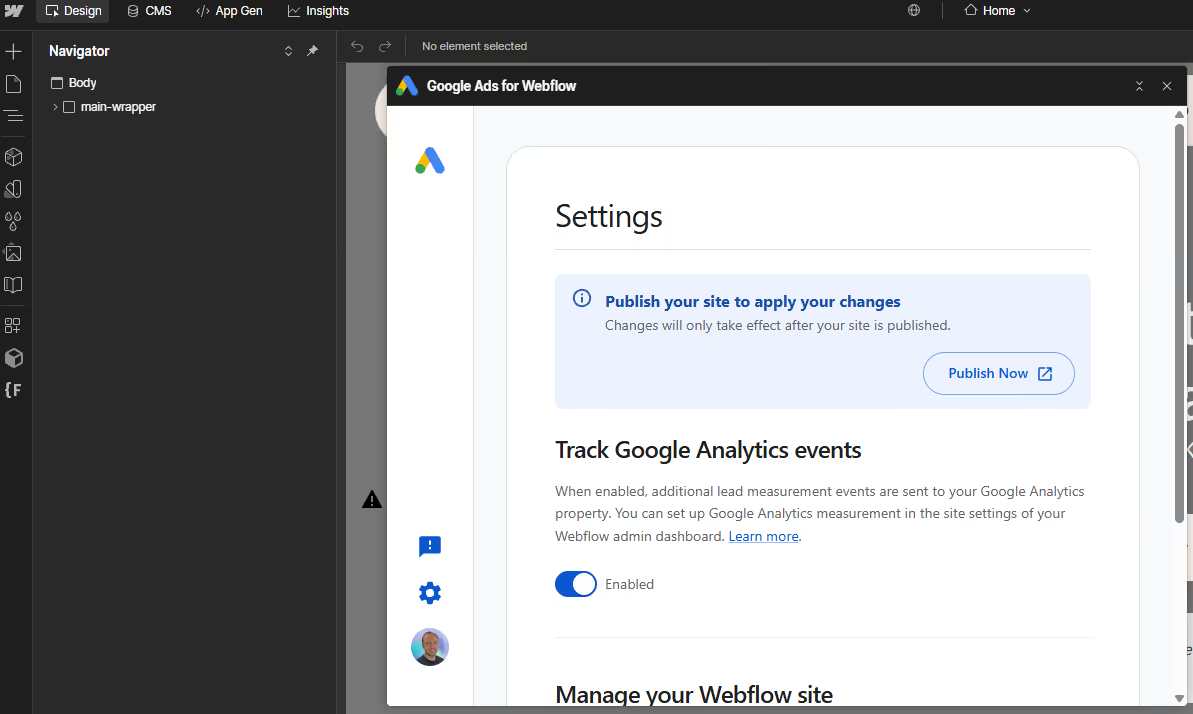
Google Ads for Webflow is a native bridge that brings the power of the Google Ads platform directly into the Webflow Designer and Dashboard.
Previously, marketers had to manually manage two separate environments: building pages in Webflow and configuring campaigns/tracking in Google Ads. Now, if you run Performance Max campaigns in Google Ads, marketing teams can:
- Manage Campaigns Inside Webflow: View and adjust key ad settings without switching tabs.
- Leverage Performance Max: Utilise Google’s AI-driven campaign type directly within the CMS.
- Simplify Tagging: Deploy conversion signals and global site tags natively, reducing the reliance on complex, third-party implementations.
- Unified Workspace: Landing pages, ad creative, and performance insights now live in one shared workspace.
Unlock the full power of Performance Max with a Webflow infrastructure built for 2026. Book a call to audit your growth stack and start launching in hours, not weeks.

3. How teams should use Google Ads for Webflow (in practice)
To get the most out of this integration, growth teams should follow this 5-step implementation rhythm:
- Connect Google Ads inside Webflow: Use the native bridge to link your accounts.
- Validate conversion signals and forms: Ensure the "plumbing" is lead-safe before spending the budget.
- Align landing page messaging with ad intent: Use Webflow’s speed to match page copy 1:1 with ad headlines.
- Launch Performance Max campaigns: Leverage Google’s AI from within the CMS to scale discovery.
- Monitor signal quality weekly: Use integrated insights to ensure data is reaching your CRM without loss.
4. Why this is good for marketers (not just ad platforms)
Faster campaign launches
The traditional bottleneck – waiting for a developer to implement tracking pixels or a designer to "finish" a landing page – is effectively removed. Ideas can move to landing pages and live ads in a single session, significantly reducing time-to-market.
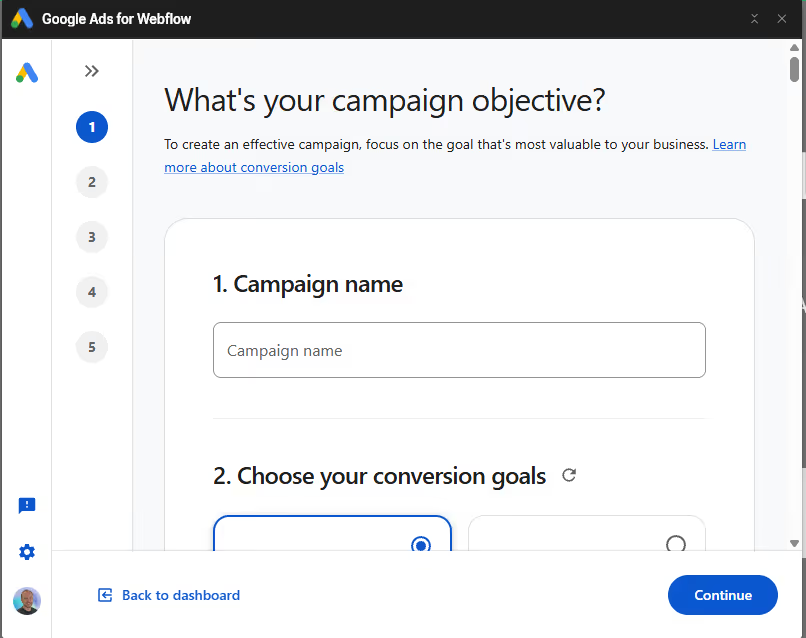
Cleaner data for better decisions
By removing the "middleman" of manual tagging, there are fewer broken signals between your site and the ad platform. Stronger, cleaner conversion data feeds the Google AI, which in turn optimises your bidding more accurately.
Better alignment between brand and performance
Too often, paid ads feel like a disjointed appendage to a brand’s website. With this integration, ads feel like a natural extension of the site experience. Landing pages can evolve in real-time alongside the campaign, ensuring the message-to-page match is always 1:1.
Paddle Creative Insight: This integration is only as good as the foundations it sits on. It won't save a site with poor governance, fragile form logic, or broken CRM mapping. The "plumbing" must be lead-safe before you turn on the Google Ads tap. If your site structure is "div-soup," no amount of Google AI will fix your conversion rate.
5. Old Way vs. New Way: Closing the Operational Gap
Previously, ads and websites "talked about" each other. Now, they talk to each other.
The "old way" relied on:
- Manual GTM Setups: Which are prone to "silent failures" where a tag "technically fires" but doesn't map data correctly to the CRM.
- Disconnected Dashboards: Where landing page performance was isolated from ad creative performance.
- Operational Risk: If a page URL changed in Webflow, the ad was often left pointing to a 404.
The new integration creates a state-aware connection, reducing operational risk and ensuring that the infrastructure supporting your spend is as robust as the ads themselves.
Paddle Creative Insight: Better tooling does not replace the need for rigorous testing. Teams still require audits to ensure that the "easier" setup doesn't lead to a "lazier" strategy. We ensure your integration is revenue-safe by validating the data flow from the first click to the final CRM entry.
6. Why this is technically superior to previous setups (The System Benefit)
Automated Quality Score Optimisation
Google Ads rewards relevance. Because this integration ensures a tighter link between ad creative and landing page content, your Quality Score naturally improves. This isn't just a workflow win; it's a financial one, as higher Quality Scores directly lead to a lower Cost Per Click (CPC).
Preventing "Attribution Sabotage" and Signal Loss
Manual GTM setups are prone to "signal loss" – where browser privacy updates or ad blockers break your tracking scripts.
- The Solution: The native integration creates a more direct "handshake" between platforms.
- The Result: Your AI-bidding strategies (like tCPA) have cleaner, more reliable data to learn from, allowing the algorithm to find your customers faster and more accurately.
7. Why Webflow is the best platform for fast-growth teams
At Paddle Creative, we view speed as a primary competitive advantage. High-growth teams cannot afford to wait in a dev queue to launch a seasonal campaign or test a new value proposition.
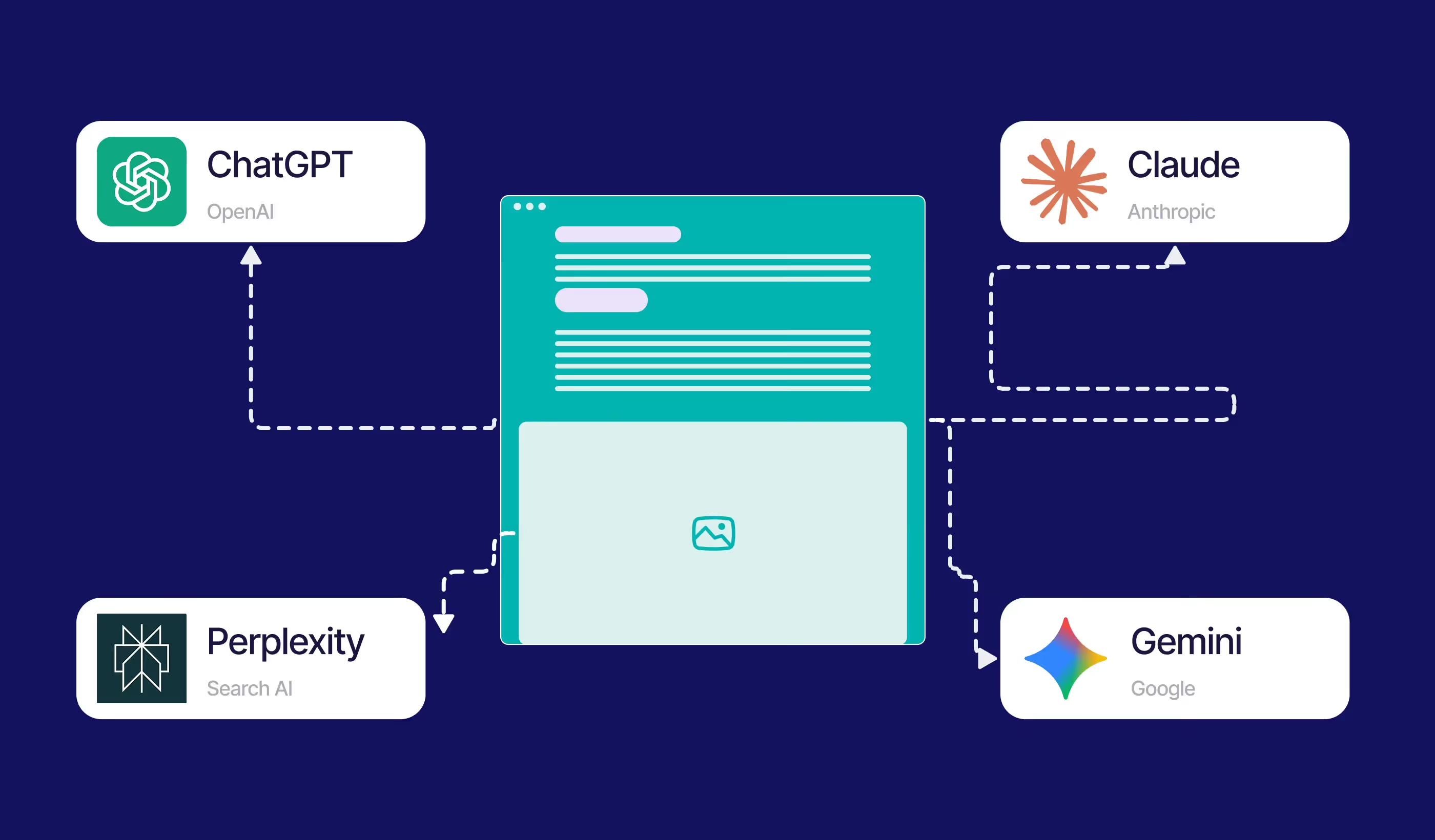
Webflow is no longer "just a CMS"; it has become a growth operating system. By unifying search intent (Google) with experience delivery (Webflow), teams can capture intent the moment it happens. This is critical for AEO (Answer Engine Optimisation) and AI-driven discovery, where the speed of content deployment determines visibility.
8. A new operating rhythm for modern growth teams
This shift changes the actual "daily habit" of a growth team. Instead of a weekly reporting ritual that looks back at what happened, teams can move to real-time iteration.
- Insight: A specific ad headline is crushing it.
- Action: Update the Webflow H1 to match that headline in minutes.
- Result: A seamless journey that boosts Quality Score and lowers CAC (Customer Acquisition Cost).
For B2B and Enterprise scale-ups running expensive ABM (Account-Based Marketing) plays, this precision is the difference between a successful quarter and a wasted budget.
9. Real-world early signals
Early adopters are seeing patterns that validate this unified approach:
- Precision: Tighter message-to-page alignment leading to lower bounce rates.
- Consistency: A reduction in technical tracking errors that previously skewed reporting.
- Velocity: Teams are launching 3x more landing page variations because the setup friction has been removed.
10. Is Google Ads for Webflow right for my team?
11. What this means for AEO and AI discovery
The convergence of AI-driven discovery and paid search is inevitable. As Google evolves into an "Answer Engine," the signals sent from your website become the data that trains how your brand is perceived.
Platforms that unify the data – knowing what the user searched for and how they interacted with the content – will win the discovery war. This integration is a massive step toward a future where intent and experience are a single, seamless data set.
12. Next steps: How Paddle Creative helps
We don't just "turn on" integrations; we engineer growth infrastructure.
- Webflow Growth Audit: Is your site ready for high-volume paid traffic?
- Form & Conversion Reliability Audit: Ensuring your leads actually reach your CRM.
- Landing Page Architecture: Building the systems that allow your team to launch in hours, not days.
Author
Fact Checked By

%20(1).avif)

.avif)



.avif)
%20(1).avif)
%20(1).avif)
.avif)
.avif)
%20(1).avif)
.avif)
.avif)
.avif)
.avif)
.avif)
.avif)
%20(1).avif)
.avif)
%20(1).avif)
.avif)

%20(1).avif)
%20(1).avif)
%20(1).avif)

%20(2).avif)
.avif)


.avif)
.avif)
.avif)
.avif)
.avif)
.avif)
.avif)
.avif)
%2520(1).avif)
%2520(1).avif)
.avif)
%2520(1).avif)
%2520(1).avif)
%2520(1).avif)
%2520(1).avif)
%2520(1).avif)
%2520(1).avif)
.avif)
.avif)


4.avif)
